
AI Tools and Training

Saint Mary's University offers selected AI tools with enterprise privacy, security, and data protection mechanisms. These tools are endorsed for use when institutional, personal, or sensitive information is involved. Other public AI platforms may not have been built or configured to offer the same protections and should not be used with Saint Mary’s data unless formally endorsed by the university.
University-Endorsed AI Tools
- Microsoft Copilot (using SMU-approved version/access)
- Google Gemini (using SMU-approved version/access)
Before Using Other AI Platforms
All users should have a review of the tool's privacy policy, terms of service and fees, and data handling practices before entering any information. Do not upload confidential, sensitive, personal, research-restricted, or proprietary university information into other AI services. Always verify AI-generated content for accuracy, bias, and appropriate use.
Microsoft Copilot Chat with enterprise data protection through SMU’s Microsoft licensing agreement.
Copilot Chat is an AI-powered conversational assistant that can help users understand information, generate and refine content, explore ideas, and improve productivity within Microsoft’s secure enterprise environment.
Key Capabilities
- Conversational AI Assistance: Ask questions, explore ideas, receive explanations, and interact naturally with information and content.
- Content Creation and Refinement: Generate, summarize, rewrite, translate, and improve text.
- Analysis and Insight Generation: Summarize information, identify key points, and support research and decision-making.
- Creative Support: Brainstorm ideas and generate images to support teaching, learning, research, administrative work, and communications.
- File-Based Support: Upload supported files to Copilot Chat for summarization, analysis, and content assistance, subject to University guidance and applicable data-handling requirements.
Privacy and Security
Microsoft Copilot Chat provides enterprise data protection when users sign in with their Saint Mary’s University provided credentials. Prompts, responses, and uploaded content are protected by Microsoft’s enterprise security controls and are not used to train public AI models.
Publicly accessible/purchased versions of Copilot are not configured to offer the same safeguards. Learn more at the Microsoft AI Learning Hub.
Log into Microsoft 365 to access Copilot Microsoft Copilot Chat with enterprise data protection through SMU’s Microsoft licensing agreement.
Copilot Chat is an AI-powered conversational assistant that can help users understand information, generate and refine content, explore ideas, and improve productivity within Microsoft’s secure enterprise environment.
Key Capabilities
- Conversational AI Assistance: Ask questions, explore ideas, receive explanations, and interact naturally with information and content.
- Content Creation and Refinement: Generate, summarize, rewrite, translate, and improve text.
- Analysis and Insight Generation: Summarize information, identify key points, and support research and decision-making.
- Creative Support: Brainstorm ideas and generate images to support teaching, learning, research, administrative work, and communications.
- File-Based Support: Upload supported files to Copilot Chat for summarization, analysis, and content assistance, subject to University guidance and applicable data-handling requirements.
Privacy and Security
Microsoft Copilot Chat provides enterprise data protection when users sign in with their Saint Mary’s University provided credentials. Prompts, responses, and uploaded content are protected by Microsoft’s enterprise security controls and are not used to train public AI models.
Publicly accessible/purchased versions of Copilot are not configured to offer the same safeguards. Learn more at the Microsoft AI Learning Hub.
Log into Microsoft 365 to access Copilot
Google Gemini with enterprise data protection through SMU-provisioned Google access.
Key Capabilities
- Conversational AI Assistance: Responds to questions, explains concepts, and supports natural-language interaction with information and content.
- Content Creation and Refinement: Generates, summarizes, rewrites, translates, and improves text in a range of formats.
- Information Summarization: Reviews supplied text or other supported content to identify key points, organize information, and produce concise summaries.
- Idea Development: Supports brainstorming, outlining, and the exploration of alternative approaches or perspectives.
- Web-Informed Responses: Can draw on information available through Google to provide current explanations and links for further review.
Privacy and Security
Google Gemini provides enterprise data protection when users sign in with their Saint Mary’s University provided credentials. Prompts, responses, and uploaded content are protected by Google Workspace security controls and are not used to train generative AI models outside the University’s domain without permission.
Publicly accessible/purchased versions of Gemini are not configured to offer the same safeguards.
Request access to Google Gemini
Saint Mary’s has joined Amii and Google.org’s national AI program, offering students, faculty, and staff access to a free, three-hour self-paced course covering foundational literacy, ethics, prompting, and output evaluation.
Log in to Brightspace, select Discover, and search AI Workforce Readiness or check New. Choose the appropriate course, enrol, and complete Module 0. The module takes approximately three hours to complete.
Log into Brightspace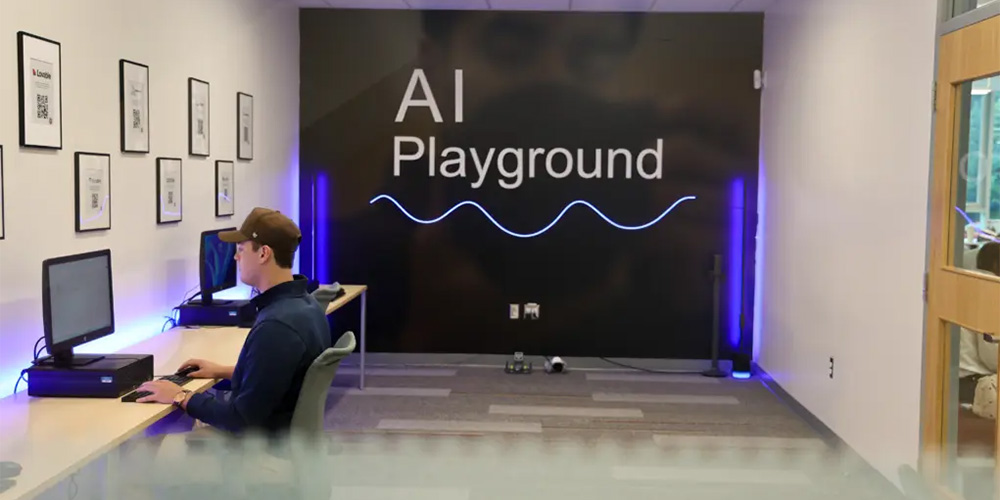
Saint Mary’s AI Playground is a space where students can explore and learn about a variety of AI technologies. The tools in the Playground are provided for experimentation and are not endorsed for exposure to Saint Mary’s data or services. Information entered into these tools may be stored, reused, or exposed according to the provider’s own terms of use and are not subject to Saint Mary’s enterprise data protection.
Have fun... and be careful.
Visit the AI Playground Saint Mary’s AI Playground is a space where students can explore and learn about a variety of AI technologies. The tools in the Playground are provided for experimentation and are not endorsed for exposure to Saint Mary’s data or services. Information entered into these tools may be stored, reused, or exposed according to the provider’s own terms of use and are not subject to Saint Mary’s enterprise data protection.
Have fun... and be careful.
Visit the AI Playground
Saint Mary’s provides Ask the Husky, a support chatbot available on the Enterprise Information Technology (EIT) technology support portal. It helps with password resets, campus Wi-Fi, printing, and multi-factor authentication.
Visit Technology Support